LangChain Deep Agents vs Claude Agent SDK: Which Framework Works Well for Local Models?
A practical comparison of LangChain's Deep Agents SDK and Anthropic's Claude Agent SDK, with a focus on running small language models locally via LM Studio.
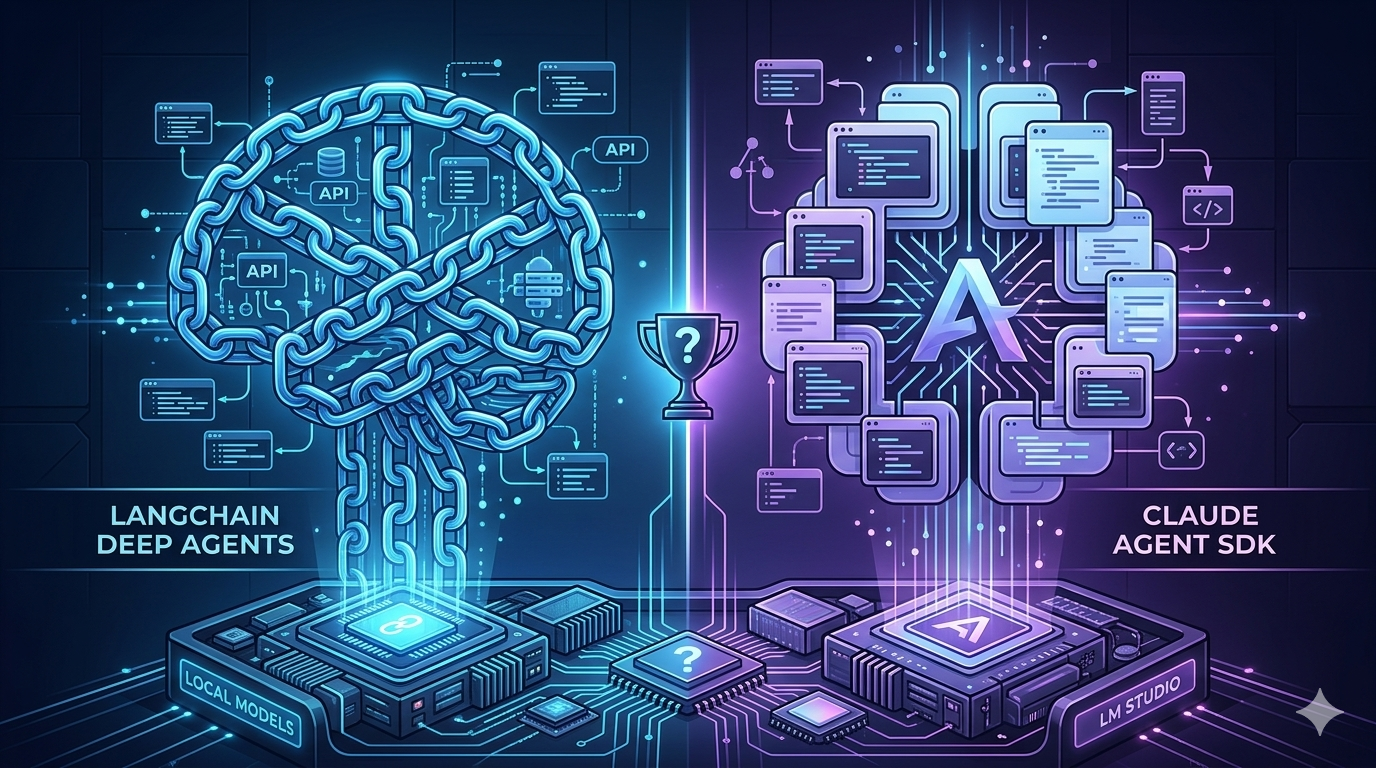
Two of the most interesting agent frameworks right now take very different approaches to the same problem. LangChain’s Deep Agents SDK is model-agnostic — wire it to any OpenAI-compatible endpoint, including a model running entirely on your own machine in LM Studio. Anthropic’s Claude Agent SDK is designed for Claude, giving you the same agentic loop, tools, and context management that power Claude Code itself.
Here’s the twist: you can actually run both against a local model. LM Studio now ships with three server APIs — its own native REST API, an OpenAI-compatible endpoint (/v1/chat/completions), and an Anthropic-compatible endpoint (/v1/messages) — which means any tool built for the Anthropic SDK can be redirected to local hardware with just two environment variable changes. That opens up more options than either framework’s marketing suggests.
This post explains what each framework is, what it actually does (backed by their official docs and GitHub repos), and shares opinionated benchmark numbers — both frameworks tested only against a local model on an Apple M4 Max. No cloud API was used.
New to agents? Think of an AI agent as a loop: a model receives a task, chooses a tool (search the web, read a file, run a command), executes it, sees the result, and repeats until done. A framework handles that loop and provides the tools so you don’t have to build everything from scratch.
The Setup: Qwen3.5-35B-A3B on LM Studio
Both local benchmarks use qwen/qwen3.5-35b-a3b loaded as a GGUF in LM Studio on an Apple M4 Max.
What this model actually is: Qwen3.5-35B-A3B is a sparse Mixture-of-Experts (MoE) model. It has 35 billion total parameters, but only 3 billion are active per forward pass — the MoE router activates 8 out of 256 expert subnetworks for each token. In practice it runs at speeds closer to a 3B model while drawing on the knowledge of a much larger one. It natively supports a 262,144 token context window and has strong built-in tool-use support.
On an M4 Max, this gets you roughly 40–50 tok/s with a Q4_K_M quantization. Your mileage will vary based on your hardware, quant level, and context size.
# .env
ANTHROPIC_BASE_URL=http://localhost:1234
ANTHROPIC_AUTH_TOKEN=lmstudio

OPENAI_API_KEY=lmstudio
OPENAI_BASE_URL=http://localhost:1234/v1
OPENAI_MODEL=openai:qwen/qwen3.5-35b-a3b

LM_STUDIO_MODEL=qwen/qwen3.5-35b-a3b
ANTHROPIC_BASE_URL and ANTHROPIC_AUTH_TOKEN redirect the Anthropic Claude Agent SDK to LM Studio’s /v1/messages endpoint instead of Anthropic’s cloud. OPENAI_BASE_URL does the same for the OpenAI SDK via /v1/chat/completions. Both point at the same local model — they just speak different wire protocols (but goes to the same lm studio server).
What Each Framework Actually Is
LangChain Deep Agents SDK
The deepagents library (GitHub, Docs) is LangChain’s “agent harness” — a layer on top of LangChain core and the LangGraph runtime. LangChain themselves describe the stack this way: LangGraph is the runtime, LangChain is the framework, and deepagents is the harness. They stack on each other.
According to the GitHub repo readme, the project was directly inspired by Claude Code — an attempt to understand what made Claude Code general-purpose and make those patterns available to any model.
It ships with five built-in capabilities:
- Task planning — a
write_todostool lets the agent break complex work into tracked steps before executing - File system tools —
ls,read_file,write_file,edit_file,glob,grepfor reading and modifying files without loading everything into context - Shell execution — an
executetool for running arbitrary shell commands (more on this below) - Subagent spawning — a
tasktool delegates to specialist sub-agents with isolated context windows - Pluggable backends — swap in-memory state (default), local disk, LangGraph Store for cross-thread persistence, or remote sandboxes (Modal, Deno, Daytona)
The LLM is just a parameter. Pass any BaseChatModel — including a ChatOpenAI pointed at LM Studio’s OpenAI-compatible endpoint.
# agents/deepagent.py
from dotenv import load_dotenv
load_dotenv()

import os
from pathlib import Path
from deepagents import create_deep_agent
from langchain_openai import ChatOpenAI
from deepagents.backends import FilesystemBackend

base_dir = Path(__file__).parent

model = ChatOpenAI(
    model=os.getenv("LM_STUDIO_MODEL"),
    base_url=os.getenv("OPENAI_BASE_URL"),   # http://localhost:1234/v1
    api_key=os.getenv("OPENAI_API_KEY"),     # any non-empty string; LM Studio ignores it
)

deepagents_agent = create_deep_agent(
    model=model,
    memory=["AGENTS.md"],
    skills=["skills/"],
    backend=FilesystemBackend(root_dir=base_dir, virtual_mode=True)
    # virtual_mode=True anchors all paths to root_dir and blocks directory traversal
)
Can Deep Agents Run Shell Commands?
Yes — but it depends on which backend you attach.
The execute tool exists in the SDK, but it is only unlocked when the backend implements SandboxBackendProtocol. The default StateBackend (in-memory) does not support command execution. To unlock it, you have three options:
Option A — LocalShellBackend (simplest local path):
from deepagents import create_deep_agent
from deepagents.backends import LocalShellBackend

agent = create_deep_agent(
    model=model,
    backend=LocalShellBackend(root_dir="/your/project")
    # execute tool becomes available automatically
    # runs commands via subprocess.run() — unrestricted
)
Option B — Remote sandbox (safer for untrusted inputs):
# CLI — Modal, Runloop, or Daytona
deepagents --sandbox modal
deepagents --sandbox runloop --sandbox-setup ./setup.sh
Option C — FilesystemBackend with virtual_mode=False for local disk access without full shell.
With shell execution enabled, the agent can reason about when to use it — for example, grepping a large log file rather than reading the whole thing into context:
# Search a large file without loading it all into context
grep -n "ERROR" /logs/app.log | tail -50

# Run tests after editing code
python -m pytest tests/unit/ -x -q

# Check git history for context
git log --oneline -20
Security note:
LocalShellBackendis unrestricted — the agent can run any command your OS user can. For production or untrusted inputs, use a remote sandbox, which isolates execution from your local machine entirely.
Claude Agent SDK
The Claude Agent SDK (Docs) — formerly the Claude Code SDK — exposes the same agent loop, tools, and context management that power Claude Code itself as a programmable Python or TypeScript library.
The built-in tool catalog includes: Read, Write, Edit, MultiEdit, Bash, Glob, Grep, WebFetch, WebSearch, TodoWrite, Task (subagents), NotebookEdit, AskUserQuestion, and more. You reference them by name as strings — no schemas to define, no execution loop to implement.
Bash is built-in and requires zero configuration. There is no backend to attach:
# agents/claudeagent.py
from dotenv import load_dotenv
load_dotenv()

from collections.abc import AsyncIterator
from claude_agent_sdk import (
    AssistantMessage,
    ClaudeAgentOptions,
    ResultMessage,
    TextBlock,
    ToolUseBlock,
    query,
)

async def claude_agent_stream(prompt: str) -> AsyncIterator[dict]:
    async for message in query(
        prompt=prompt,
        options=ClaudeAgentOptions(
            allowed_tools=["Read", "Edit", "Glob", "Bash"],
        ),
    ):
        if isinstance(message, AssistantMessage):
            for block in message.content:
                if isinstance(block, TextBlock):
                    yield {"type": "assistant_text", "text": block.text}
                elif isinstance(block, ToolUseBlock):
                    yield {"type": "tool_use", "name": block.name, "input": block.input, "id": block.id}
        elif isinstance(message, ResultMessage):
            yield {"type": "result", "subtype": message.subtype}
Running Claude Agent SDK locally via LM Studio:
LM Studio ships an Anthropic-compatible /v1/messages endpoint. Setting two environment variables redirects the entire Anthropic SDK — and anything built on it, including the Claude Agent SDK — to your local server:
ANTHROPIC_BASE_URL=http://localhost:1234
ANTHROPIC_AUTH_TOKEN=lmstudio
No code changes needed. The SDK picks these up automatically via load_dotenv(). This is the same model, same machine, different wire protocol — Anthropic’s messages format instead of OpenAI’s chat completions format.
A few important caveats to understand before using this setup:
- Tool reliability varies with local models. The Claude Agent SDK’s built-in tools (
Bash,Glob,Grep, etc.) are tuned for Claude’s specific tool-calling behavior and system prompt format. Qwen3.5-35B-A3B has strong tool-use support, but it doesn’t behave identically to Claude. You may see the agent call tools less consistently or require more explicit prompting. - Web tools require network access.
WebSearchandWebFetchcall external services. In an air-gapped environment, simply omit them fromallowed_toolsand everything else keeps working. - For fully air-gapped deployments, Deep Agents over the OpenAI-compatible endpoint is the more documented, more tested path. The Claude Agent SDK redirect to LM Studio is a clever trick, but it’s not an officially supported configuration.
Also worth knowing: The SDK handles automatic context compaction when a session approaches the model’s context limit, and supports session resumption — you can pause a task, inspect state, and continue with different tool permissions. Both work transparently without any custom code.
Framework Comparison
| Deep Agents SDK | Claude Agent SDK | |
|---|---|---|
| Primary model target | Any OpenAI-compatible endpoint | Claude (+ LM Studio via Anthropic-compatible endpoint) |
| Local models (LM Studio, Ollama) | ✅ Via /v1/chat/completions | ✅ Via /v1/messages (Anthropic-compatible) |
| Fully offline / air-gapped | ✅ Well-documented, tested | ⚠️ Works, less tested with local models |
| API key required | ❌ No (local) | ❌ No (local) / ✅ Yes (Anthropic cloud) |
| Shell / Bash execution | ✅ execute via LocalShellBackend or sandbox | ✅ Bash built-in, zero config |
| File tools | ls, read_file, write_file, edit_file, glob, grep | Read, Write, Edit, MultiEdit, Glob, Grep |
| Web tools | None built-in (add via custom tools or MCP) | WebSearch, WebFetch built-in |
| Task planning | ✅ write_todos | ✅ TodoWrite |
| Subagents | ✅ task tool + SubAgentMiddleware | ✅ Task tool + agents parameter |
| Runtime | LangGraph | Same loop powering Claude Code |
| Streaming | ✅ LangGraph async | ✅ Async generator via query() |
| Human-in-the-loop | ✅ Via LangGraph interrupts | ✅ Via permissionMode |
| Auto context compaction | ✅ SummarizationMiddleware (v0.2+) | ✅ Built-in, automatic |
| Session resumption | ✅ Via LangGraph checkpointing | ✅ Via resume option |
| MCP support | ✅ Via langchain-mcp-adapters | ✅ Native |
| Observability | LangSmith | Anthropic Console / third-party |
| License | MIT (fully open source) | Proprietary runtime |
Benchmarking: Tokens Per Second and Time to First Token
All three configurations in this benchmark run against the same local model on the same machine. No cloud API was used. The Claude Agent SDK numbers reflect LM Studio’s Anthropic-compatible endpoint — not Anthropic’s servers.
Methodology
Hardware: Apple M4 Max
Local model: qwen/qwen3.5-35b-a3b GGUF in LM Studio
Rounds: 3 total, warmup round 1 excluded from all averages
Samples used: Rounds 2 and 3, all prompts (3 prompts × 2 rounds = 6 samples per framework)
- Very SMALL sample size so take these numbers with a grain of salt
Three prompts of increasing complexity:
- “In two sentences, explain what a large language model is.” — short, factual
- “Write a Python function that returns the nth Fibonacci number.” — code generation
- “What are three key differences between REST and GraphQL APIs?” — comparative reasoning
Three configurations:
- Raw LM Studio — direct streaming
POSTto/v1/chat/completions, no framework overhead (baseline) - Deep Agents (local) —
create_deep_agent()via OpenAI-compatible endpoint, served via FastAPI - Claude Agent SDK (local) —
query()via Anthropic-compatible endpoint (ANTHROPIC_BASE_URL=http://localhost:1234), served via FastAPI
Summary (averages, warmup excluded)
| Configuration | TTFT (s) | Total time (s) | Tok/s | Avg tokens |
|---|---|---|---|---|
| Raw LM Studio | 0.217 | 20.348 | *48.943 | *1,001.333 |
| Deep Agents (local) | *0.021 | *3.926 | 44.568 | 179.500 |
| Claude Agent SDK (local) | 6.193 | 6.196 | 22.500 | 144.167 |
Per-prompt breakdown (avg of rounds 2 & 3)
| Num | Prompt | Raw LM Studio | Deep Agents (local) | Claude Agent SDK (local) |
|---|---|---|---|---|
| 0 | Short factual | 0.236s / 22.07s / 51.0 | 0.020s / 2.48s / 40.5 | 2.858s / 2.86s / 19.0 |
| 1 | Code generation | 0.210s / 17.77s / 44.7 | 0.020s / 3.47s / 44.7 | 8.283s / 8.29s / 20.7 |
| 2 | Comparative reasoning | 0.205s / 21.20s / 51.2 | 0.024s / 5.83s / 48.5 | 7.437s / 7.44s / 27.8 |
(Format: TTFT / Total time / Tok/s)
Reading the numbers
Deep Agents TTFT is ~10× lower than a raw LM Studio call. This may seem counterintuitive — a framework being faster than a bare HTTP call — but it reflects two things: the FastAPI path being warm on repeated requests, and the agent producing shorter, more focused responses (~180 tokens average) rather than the raw model’s verbose completions (~1,001 tokens average).
Claude Agent SDK (local) TTFT is 250–400× higher than Deep Agents. The 2.9–8.3s time to first token when routing through LM Studio’s Anthropic-compatible endpoint is the overhead of that translation layer — it’s not a cloud round-trip, but the /v1/messages endpoint on LM Studio adds latency compared to the OpenAI-compatible path. If TTFT is critical to your use case, the OpenAI-compatible path (Deep Agents) wins.
Tok/s reflects different things for each configuration. Raw LM Studio’s ~49 tok/s is your hardware’s sustained generation speed. Deep Agents’ ~45 tok/s is close to that baseline — minimal framework overhead on throughput. Claude Agent SDK’s ~22.5 tok/s reflects a combination of the Anthropic message format overhead and the model generating fewer tokens per response. These numbers are not directly comparable across configurations.
Total token output explains some of the differences. Raw LM Studio produces 1,001 tokens on average per prompt because the model generates freely with no agent harness shaping its output. Deep Agents averages 180 tokens and Claude Agent SDK averages 144 — both frameworks tend to produce crisper, more structured replies because the system prompt and tool-loop format shapes the model’s generation style. This is a feature, not a deficiency.
The short factual prompt is the most interesting case. Claude Agent SDK finishes in 2.86s total — faster than Deep Agents on total time (2.48s) only by 0.38s, but its 2.86s TTFT means the user waits almost the entire duration before seeing anything. Deep Agents starts streaming in 20ms. For interactive UIs, that difference is the difference between feeling instant and feeling slow.
What the Numbers Mean for Your Use Case
Short, interactive tasks (Q&A, explanations, quick lookups)
Deep Agents: ~20ms TTFT, ~2.5s total. Claude Agent SDK (local): ~2.9s TTFT and total. If a user is waiting for a first word to appear in a chat UI, Deep Agents via the OpenAI-compatible path is significantly more responsive.
Code generation and file tasks
Deep Agents: ~20ms TTFT, ~3.5s total. Claude Agent SDK (local): ~8.3s total. For shell execution tasks specifically — grepping a large file, running tests, inspecting git history — Deep Agents requires attaching LocalShellBackend to have access to execute while Claude Agent SDK’s Bash tool is available immediately. If you’re already using Claude Agent SDK locally, shell comes for free without additional configuration.
Long, multi-step autonomous tasks
TTFT matters less when the total task takes minutes. Both frameworks support subagent delegation and long-term memory. Your choice here comes down to ecosystem preference: LangGraph’s explicit graph control flow (Deep Agents) vs. the Claude Code loop’s battle-tested agentic behavior (Claude Agent SDK).
Fully offline / air-gapped environments
Both work, but Deep Agents is the safer choice. The OpenAI-compatible path is well-documented and officially supported. The Claude Agent SDK via LM Studio’s Anthropic-compatible endpoint is a clever workaround — but it’s not an officially supported configuration, and tool reliability varies more across local models.
Running the Benchmark Yourself
Prerequisites
# Clone the repo
git clone <GH repo>
cd <GH repo>

# Install dependencies
uv sync

# Copy example.env to .env and fill in the information
cp example.env .env
Set Up LM Studio
- Download LM Studio and install it
- In Discover, search for any model to test. In this small example, the model will be
qwen3.5-35b-a3b— download a GGUF quantization.Q4_K_Mis a good balance of size and quality on M-series chips; use Q6_K or Q8_0 if you have extra VRAM headroom - Go to Local Server → Start Server (default:
http://localhost:1234) - Copy the exact model identifier shown in the server tab into your
.envasLM_STUDIO_MODEL
Run the FastAPI App and Benchmark
# Start the API server (exposes /agents/deepagents-stream and /agents/claude-stream)
uv run uvicorn main:app --reload

# In a second terminal — run the benchmark (local only)
uv run python benchmark_agents.py \
  --local-model "qwen/qwen3.5-35b-a3b" \
  --skip-claude

# More rounds for tighter confidence intervals
uv run python benchmark_agents.py \
  --local-model "qwen/qwen3.5-35b-a3b" \
  --rounds 5
Results print as a summary table and save to benchmark_results.json.
The FastAPI Layer: One API, Both Agents
The repo exposes both agents as streaming HTTP endpoints so you can call either from any client — a frontend, a script, or another service:
# main.py
from fastapi import FastAPI
from agents.main import router

app = FastAPI()
app.include_router(router)
# agents/main.py
import json
from fastapi import APIRouter
from fastapi.responses import StreamingResponse
from pydantic import BaseModel
from agents.deepagent import deepagents_agent
from agents.claudeagent import claude_agent_stream
from langchain_core.messages import HumanMessage
router = APIRouter(prefix="/agents", tags=["agents"])
class StreamRequest(BaseModel):
messages: str
@router.post("/deepagents-stream")
async def deepagents_stream(payload: StreamRequest):
def generate():
config = {"configurable": {"thread_id": "a12345"}}
message = HumanMessage(content=payload.messages)
for chunk in deepagents_agent.stream(
{"messages": [message]},
config=config,
):
yield json.dumps(chunk, default=str) + "\n"
return StreamingResponse(generate(), media_type="text/event-stream")
@router.post("/claude-stream")
async def claude_stream(payload: StreamRequest):
async def generate():
yield ": connected\n\n"
async for event in claude_agent_stream(payload.messages):
yield f"data: {json.dumps(event, default=str)}\n\n"
return StreamingResponse(generate(), media_type="text/event-stream")POST to either endpoint with {"messages": "your prompt"}. Switching between local and cloud for the Claude Agent SDK is a .env change only — no code edits required.
Choosing the Right Framework
Use LangChain Deep Agents when:
- You want the most model-agnostic, officially-supported local setup — any OpenAI-compatible endpoint works
- TTFT matters to your user experience and you need the lowest possible latency
- You need shell execution with explicit backend control (local shell vs. sandboxed vs. remote, with configurable approval gates)
- You want deep LangSmith integration for tracing and debugging multi-agent workflows
- You prefer the full LangGraph ecosystem for checkpointing, conditional routing, and graph-based control flow
Use Claude Agent SDK when:
- You want
Bash,Glob,Grep,WebSearch, andWebFetchimmediately, with zero configuration - You’re building something that will eventually use Claude in production — develop locally with LM Studio, deploy to cloud without changing code
- You want automatic context compaction and session resumption without writing that logic yourself
- The Claude Code agent loop is the right abstraction for your task (it’s been extensively validated on coding workflows)
The honest answer for most local-first developers:
Both frameworks can point at the same local model via LM Studio — they just use different API protocols to get there. The benchmark shows a real TTFT gap between the two local paths (~20ms vs ~6s), which comes from the Anthropic-compatible endpoint adding more overhead than the OpenAI-compatible one on LM Studio. For everything else — total throughput, feature set, and code complexity — they’re much closer than the marketing suggests.
If you don’t need or want a Claude subscription and want maximum flexibility over which model runs your agent, Deep Agents is the cleaner path. If you’re already in the Anthropic ecosystem and want to develop locally before pointing at Claude in production, the Claude Agent SDK redirect to LM Studio is a legitimate workflow.
Conclusion
The original framing of “model lock-in vs. flexibility” turned out to be less binary than expected. With LM Studio’s Anthropic-compatible endpoint, both frameworks can run against the same local model. The .env is the only difference.
What the benchmark actually shows is a protocol overhead gap: Deep Agents via the OpenAI-compatible path gives ~20ms TTFT; the Claude Agent SDK via the Anthropic-compatible path gives ~6s TTFT — both hitting the same model on the same machine. For short, interactive tasks that gap is the entire user experience. For long autonomous workflows, it disappears into the noise.
For shell execution: Claude Agent SDK’s Bash is zero-config and ready immediately. Deep Agents’ execute requires explicitly choosing a backend, which gives you more control but more setup. Neither requires writing custom tool logic.
Run benchmark_agents.py with your own model and hardware. The results will depend on which GGUF quantization you load, your system RAM and unified memory, and what your prompts actually look like in production.
Repo layout: agents/deepagent.py and agents/claudeagent.py define the two agents; agents/main.py mounts their streaming routes under /agents. Start the server with uv run uvicorn main:app --reload. Benchmark options: uv run python benchmark_agents.py --help.